One boxfor everything on your desk.
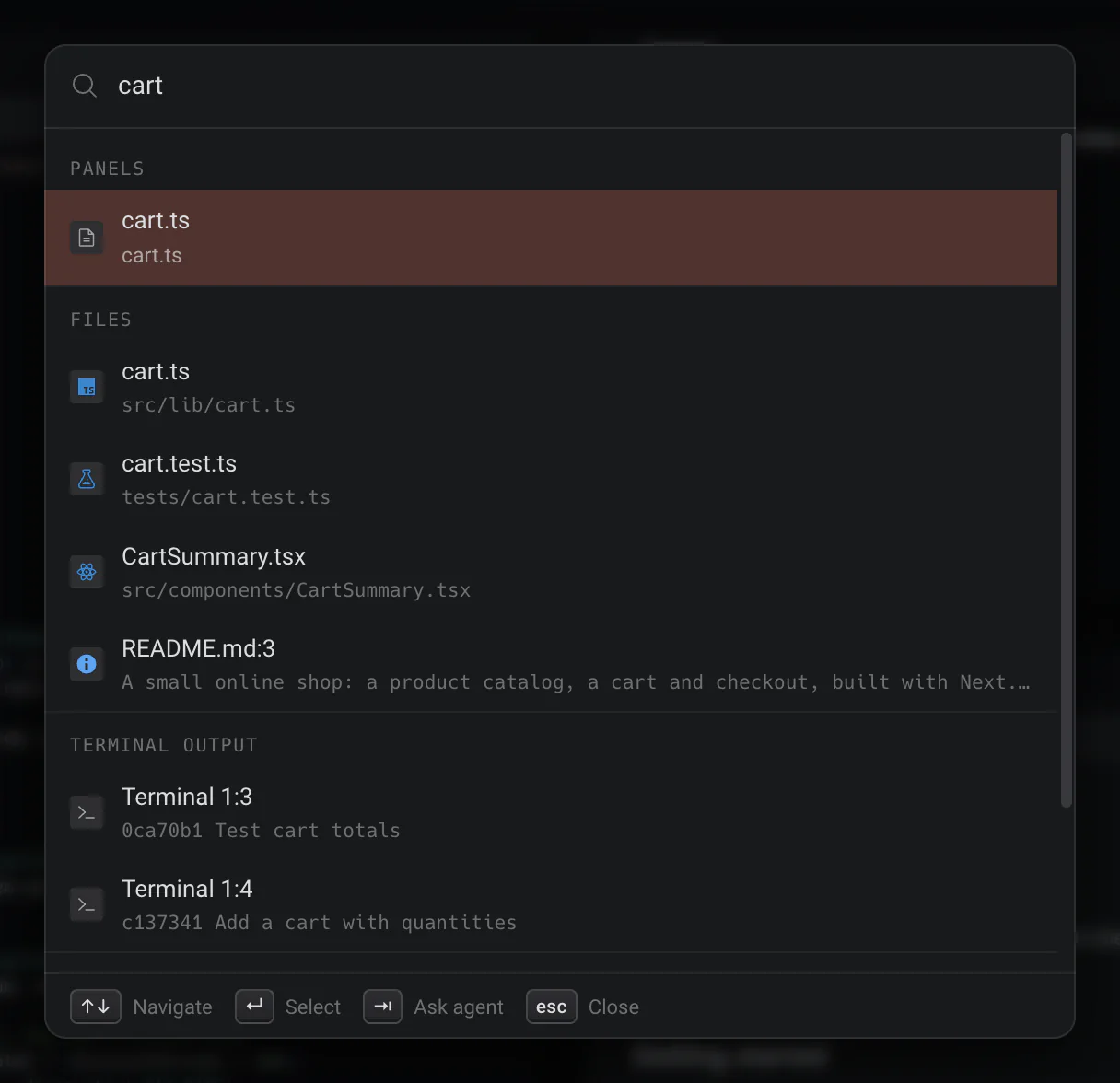
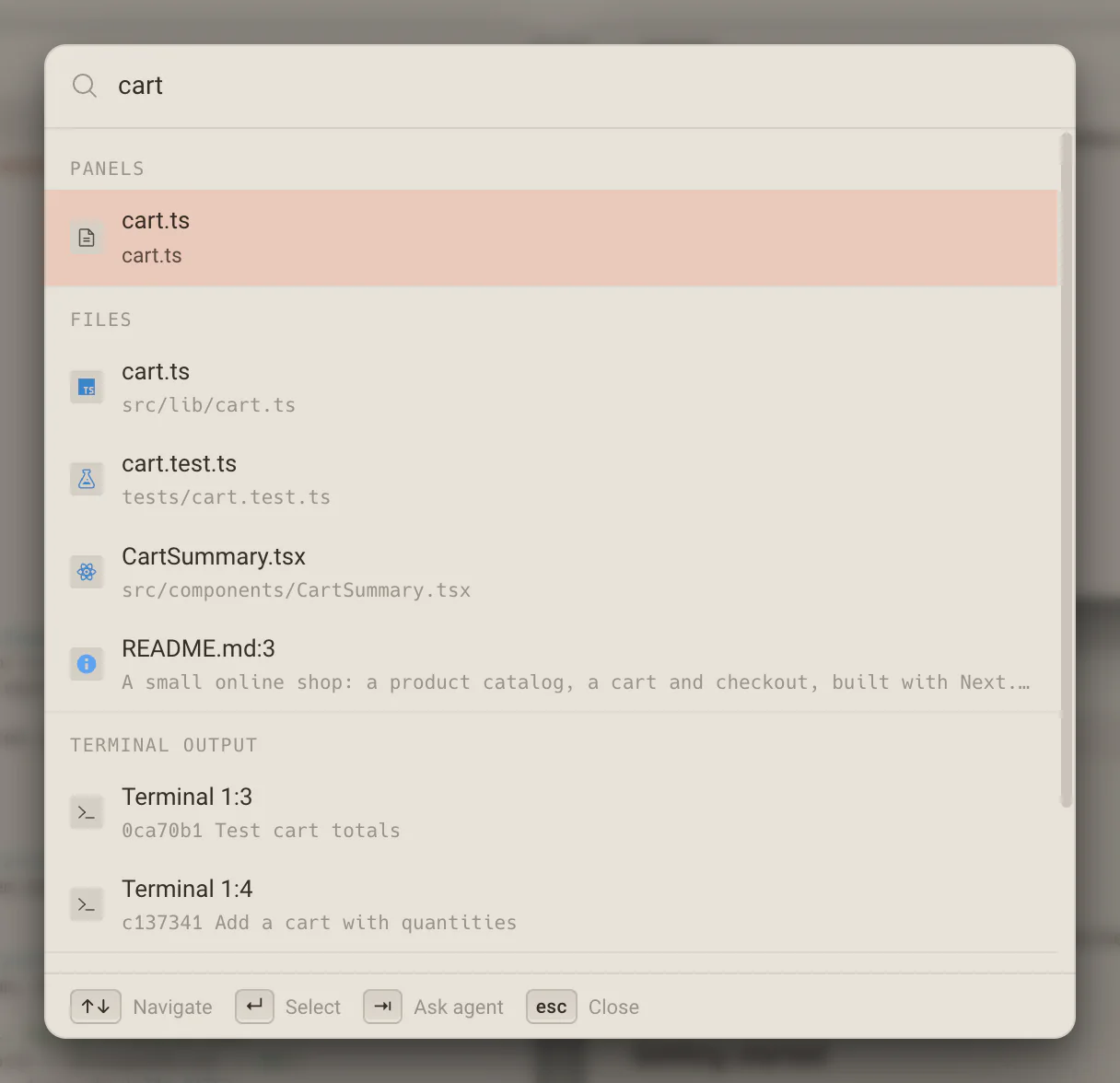
Cmd/Ctrl + K searches commands, files, every open panel in every project, terminal output, tasks, worktrees and settings at once. Type what a panel is doing to find it, or a sentence to hand it to an agent.
Find a panelby what it is doing.
Every open panel matches on its title, its summary and its live state: the running command, the agent, Needs you. Type deploy and the terminal deploying the site comes first, even in another project, and picking it takes you there.
- Opened empty, it lists this project’s panels, the ones that need you first.
- Every word counts, in any order; case and accents are ignored.
- It reads the summaries your agents wrote and never asks for new ones.
Files by name,and by what is in them.
Half remember a line of code and the palette finds the file it lives in, with its path and the matching line. A line that scrolled past in one of this project’s terminals turns up too, after the files.
- Cmd/Ctrl + P is the lean finder for file names alone.
- Scripts from deska.json run as Run script commands.
- A setting’s name jumps straight to that control.
No command for it?Say it instead.
Type what you want in plain words and press Tab. The sentence opens the New task composer, where you review it, pick the agent and send.
- Ask the agent is already selected when nothing else matches.
- Command mode for precise actions, ask mode for the rest.
- Dex is there too, for questions about your desk.
What it searches
One box over every source, so you never need to remember which menu a thing lives in.
- Commands
- New Terminal, Source Control, Zoom to Fit and the rest, matched loosely by name.
- Files
- By file name and by contents, with the matching line.
- Open panels
- In every project on this computer, by title, summary and live state.
- Terminal output
- Lines that scrolled past in this project’s terminals.
- Tasks
- Every supervised thread and provider session, by name.
- Worktrees
- By branch, with New worktree for a name nobody uses yet.
- Settings
- Whole pages and single controls, by name.
- Project scripts
- What deska.json declares, as Run script commands.
Your hands stay on the keyboard.
The palette, the panel switcher, the workspace overview and the jump overlay cover the whole desk without reaching for the mouse.
Plain text, no guessing
Every word you type must appear somewhere, in any order, with case and accents ignored. No AI decides what you meant.
Every project on this computer
A panel in another project shows that project’s name, and picking it switches projects and takes you there.
What needs you comes first
Opened empty, it lists this project’s panels with their summaries, the ones that need you first, then its commands.
Worth knowing
- Command Palette
- Cmd/Ctrl + K
- Quick open a file
- Cmd/Ctrl + P
- Ask the agent
- Tab, with text typed
- Panel switcher
- Ctrl + Space
- Step through panels
- Ctrl + ` and Ctrl + Shift + `
- Workspace overview
- Cmd/Ctrl + Shift + P
- Jump overlay
- Cmd/Ctrl + Enter
- Project scripts
- From deska.json, as Run script commands
About the command palette
One canvas for everything you build.Free to start.
The complete workspace on one computer, with 10 dictation minutes a month.