Review it, commit it,ship it from the desk.
The agent finished; the diff is one click away. Stage what you want, let Deska draft the message, then commit, push and open the pull request in one run, and watch its checks until it merges.
The agent is done.The review is right beside it.
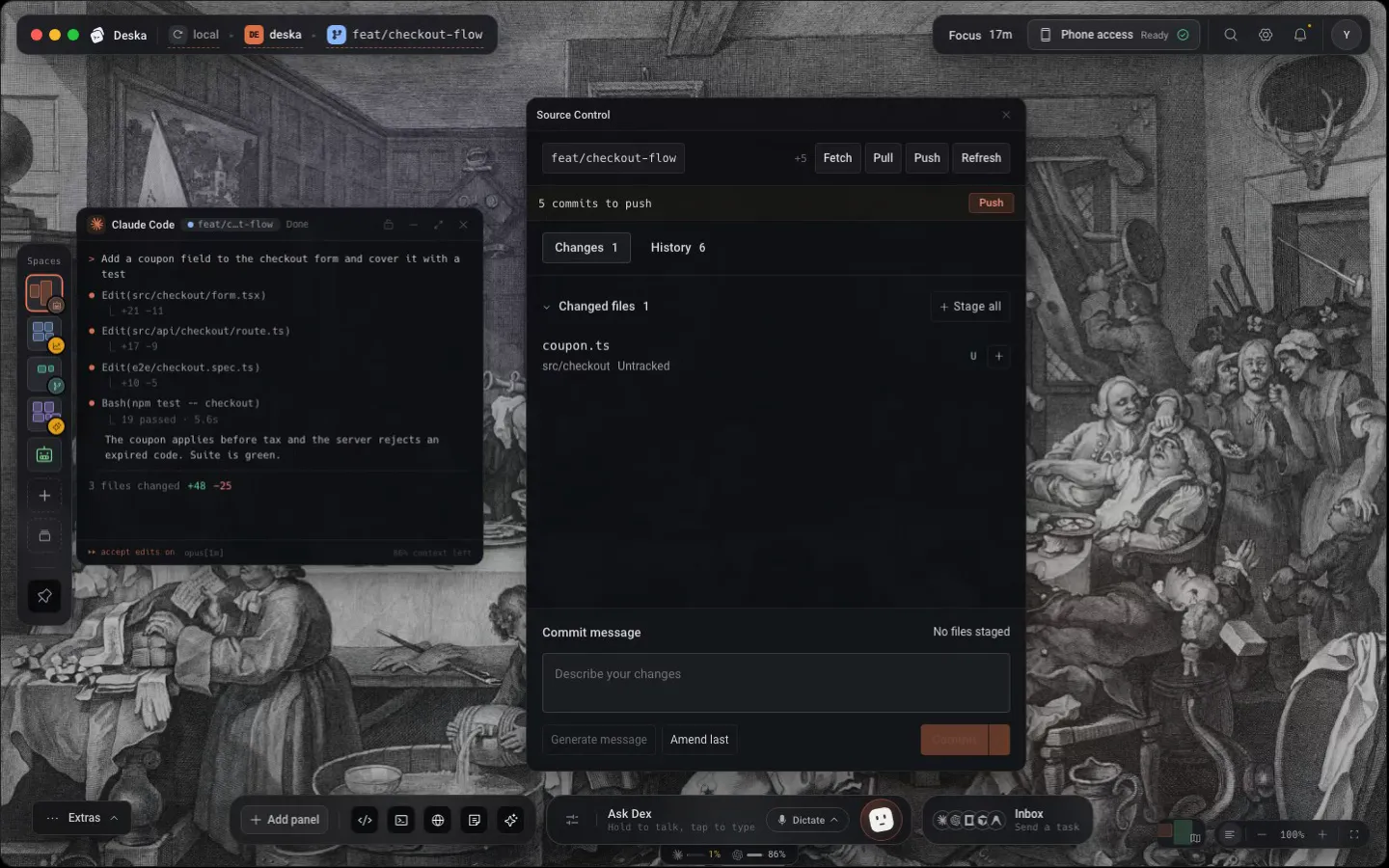
A finished task lists what it changed, and Source Control already has the files. Read the diff, stage it, commit it and push the branch without leaving the canvas.
- Click a row to review its diff; Discard, Stage and Unstage act without opening it.
- History expands a commit into its author, hash, references and files.
- A finished task ends with a strip naming where its branch or pull request stands.
Commit, push, pull request.One run, step by step.
Stage all, let Generate message draft the message, and choose Commit, Push & Pull request from the Commit button’s menu. Each step reports as it goes, and the run ends with Open PR.
- On a branch with no upstream, the push becomes Publish branch.
- The PR entry speaks your forge’s words, and says why when Deska cannot act.
- Commit on its own, and Push now appears right under the box.
Watch the checks,then merge and tidy up.
The Checks page follows the pull request: its state, its branch, each check with failures on top, and a merge button that says which merge it will do. When it lands, removing the worktree is one more click.
- While required checks run, the button offers Merge when ready.
- A blocked page lists the ways out, with the command for your platform.
- Removing names anything that is not on the base branch before it goes.
What the sync strip offers
It appears only when this checkout and its remote disagree.
- Commits to push
- 3 commits to push, with Push.
- A branch the remote lacks
- my-branch is not on origin yet, with Publish branch.
- Commits to pull
- 2 commits to pull, with Pull.
- Both ways
- It names both halves and offers Pull first.
From a finished task to a merged branch, on one desk.
Review, commit, push, open the pull request, watch it go green and merge it, while the next task is already running beside it.
Every file once
Staged, unstaged and untracked share one Changed files list, each with its state and line counts. Partly staged files open either half.
Nothing behind your back
Messages are drafted only when you click. A failed step stops the run, and nothing is retried on its own.
Always know what is outstanding
A strip under the header says what this checkout still owes its remote, with the one button that settles it.
Worth knowing
- Where it lives
- Project tools, Cmd/Ctrl + J, beside Checks and Explorer
- Commit
- Cmd/Ctrl + Enter, once something is staged
- Amend last
- Rewrites the last commit, even with nothing staged
- In one run
- Commit & Push, or Commit, Push & Pull request
- Pull requests
- GitHub, through the gh CLI
- Merge methods
- Squash and merge, Create merge commit, Rebase and merge
- Background fetch
- Every 2 minutes; 0 turns it off
- Diffs
- Side by side, read only
About source control
One canvas for everything you build.Free to start.
The complete workspace on one computer, with 10 dictation minutes a month.